

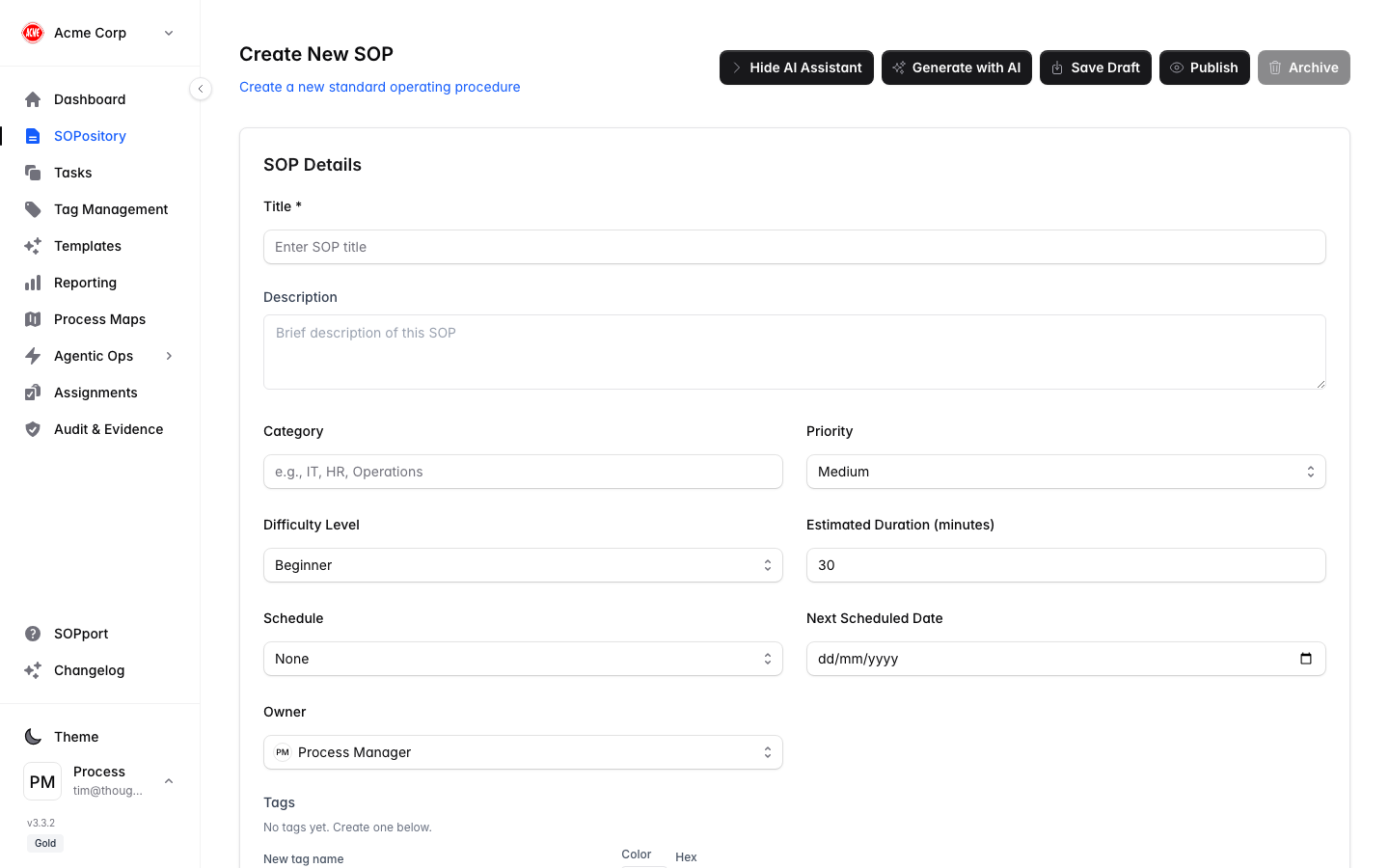
The three parts of an SOP
Every SOP is organised into three sections:| Section | Covers |
|---|---|
| 1 — The What | The SOP’s details and overview: title, description, category and tags. |
| 2 — The Why | Governance — the policies, standards, objectives and risks this SOP delivers against. |
| 3 — The How | The steps to carry out the procedure. |
“The Why” is new: it’s where you link an SOP to the governance controls it exists to satisfy, so the connection between a procedure and the policy, standard, objective or risk behind it is explicit and auditable.
Generate an SOP with AI
The fastest way to start is the AI SOP Generator — describe what you want and it drafts a complete SOP with steps for you to review and refine.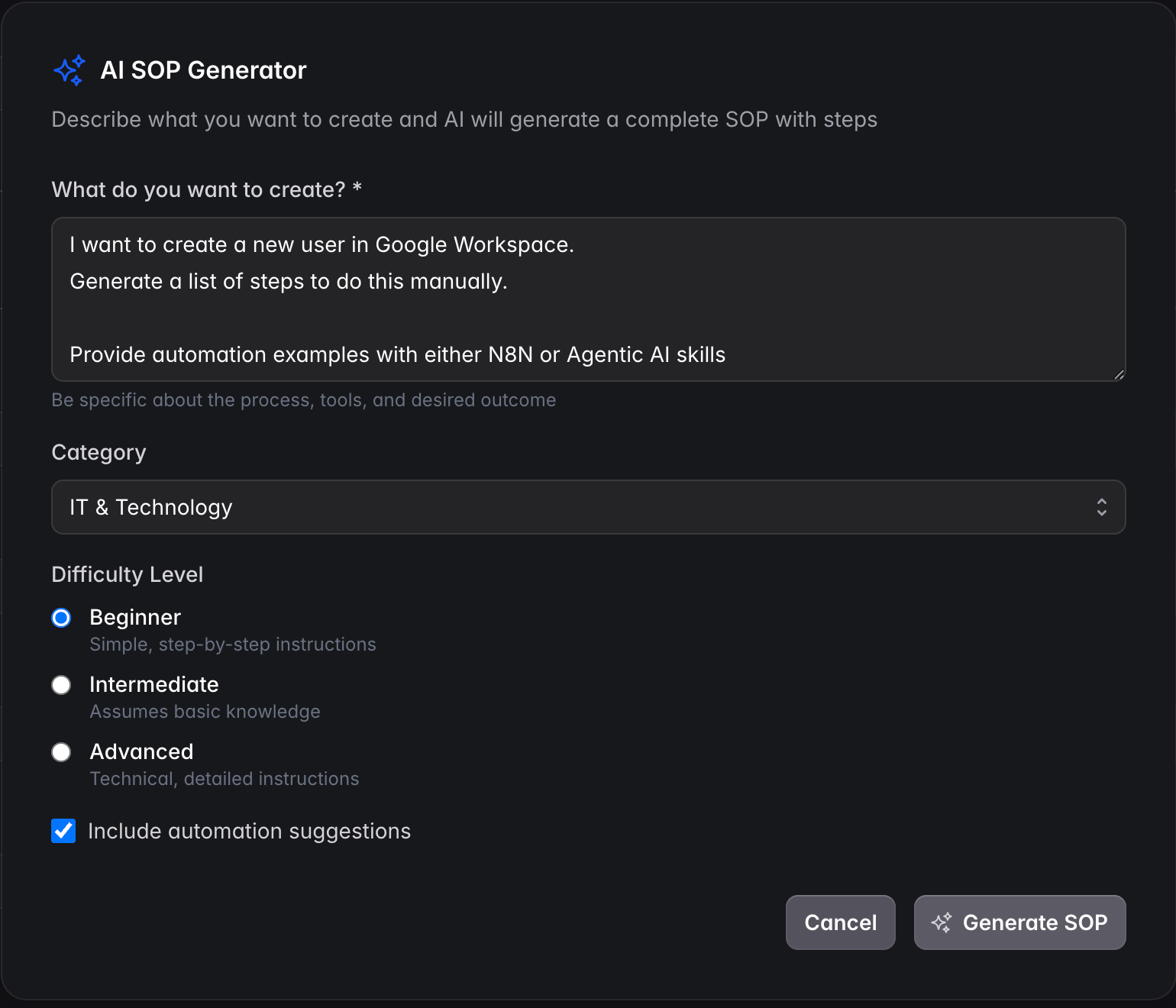
Set category and difficulty
Choose a Category and a Difficulty Level (Beginner, Intermediate, Advanced).
Include automation suggestions (optional)
Tick this to have the AI suggest where automation or agentic AI could help.
AI generation requires an AI provider to be configured for your organisation.
Create a new SOP manually
Link governance (The Why)
Connect the SOP to the policies, standards, objectives and risks it delivers against.
Add steps (The How)
Break the procedure into ordered steps. For each step, include:
- Instructions — what to do.
- Screenshots — what it should look like.
- Expected result — how to know the step is done correctly.
Tag it
Add tags so the SOP is easy to find and group.
Edit an existing SOP
Open the SOP
Find it in the SOPository and open it.
