

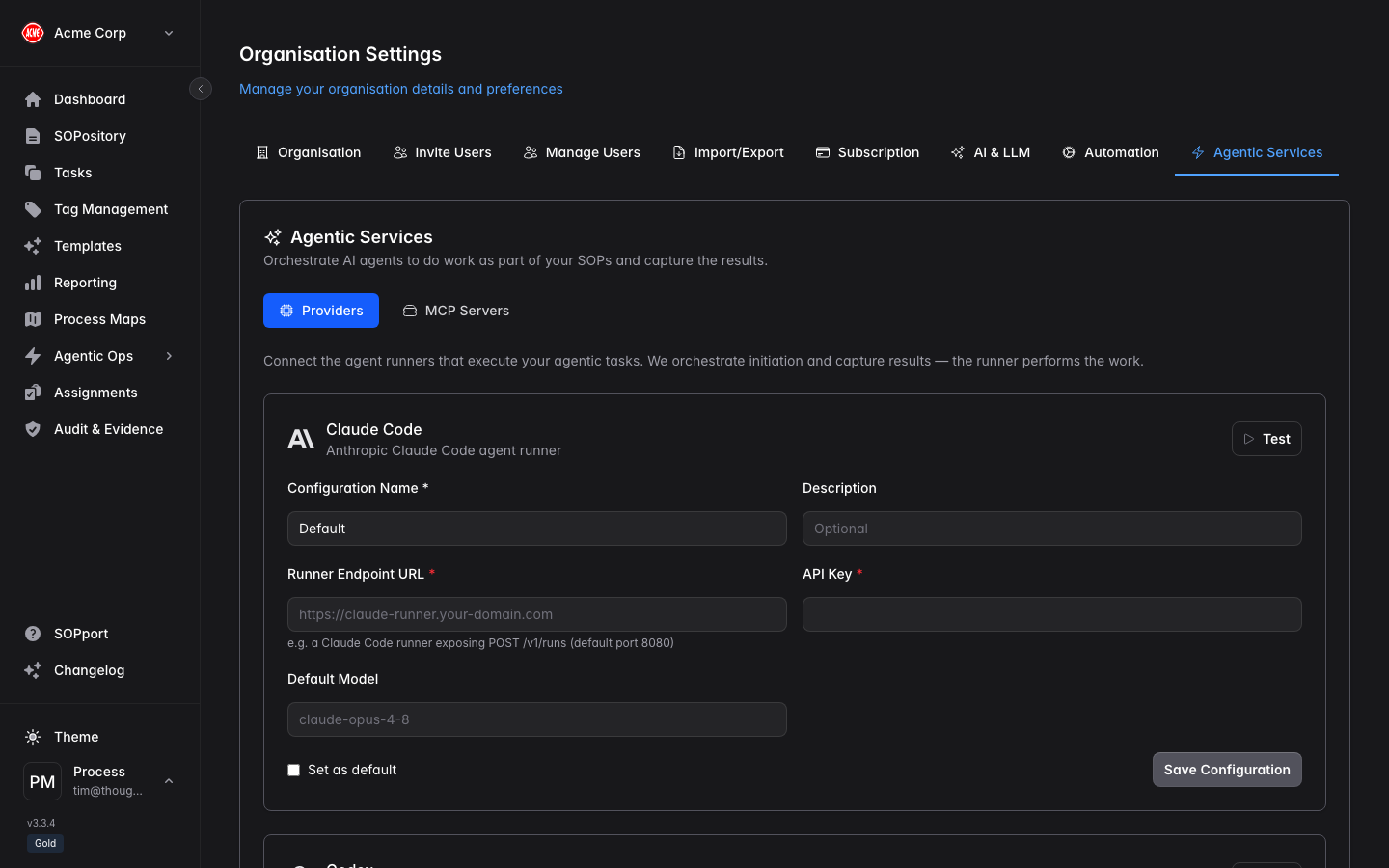
Configure an agent provider
Process Central supports agent runners including Claude Code, OpenCode and Codex.Enter the runner endpoint and API key
Point it at your agent runner / server endpoint and provide its key.
Default Model format (important)
For OpenCode, the model must be written as<provider-id>/<model-id>, where the first segment matches a provider defined in the OpenCode server’s opencode.json:
MCP servers
You can register public MCP servers here and attach them to skills.How an attached MCP server is used depends on the provider’s runner. For OpenCode, MCP servers are loaded from the OpenCode server’s own
opencode.json config — attaching one to a skill in Process Central does not push it to OpenCode. For runners that accept MCP servers per run, the skill’s attached servers are forwarded automatically.